Level 1, lesson 2 of 5 · 4 min
Labels for your items
What goes on a label, and the difference between a label printer and sticker sheets.
In the last lesson, you saw that items can get their own barcode. That barcode has to go somewhere. That's what you print a label for.
What's on a label
An item's label usually shows three things:
- the barcode, for the scanner at the register,
- the price, for the customer,
- the item's name, so you know which label goes with which item.
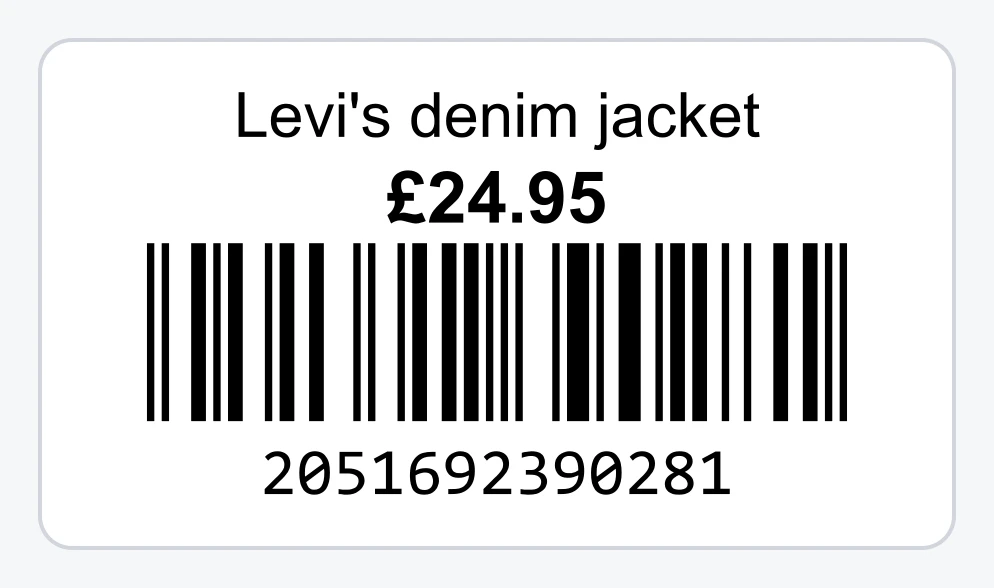
You stick the label on the item, or on a tag you hang on the item. For clothes, a tag on a string works well: a sticker on fabric can come off or leave glue behind.
Two ways to print
A label printer with a roll (recommended). It prints one label at a time, from a roll. A printer like this is thermal: it turns the paper black with heat. So you don't need ink or toner. Every label comes out exactly right, so you never have to fiddle with the alignment. And you print exactly as many as you need, without choosing where to start on a sheet. That makes it quicker.
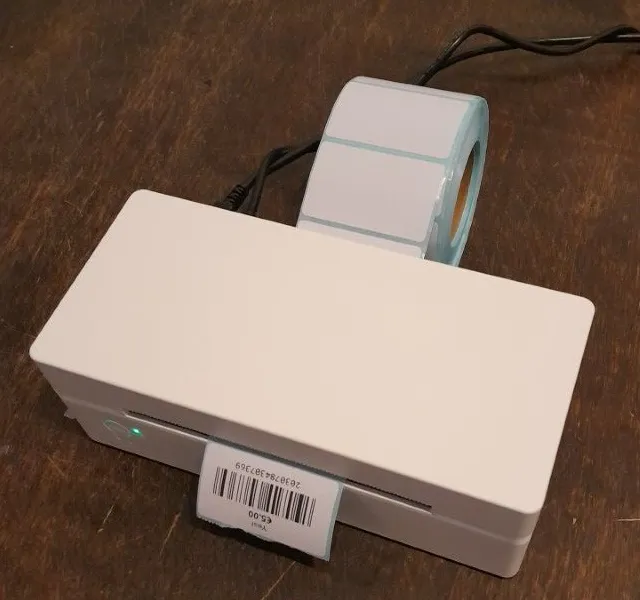
A4 sticker sheets. Sheets with small stickers, for example 40 per sheet. You print them on the printer you already have. Cheap to start with. Do make sure the printer prints the sheet at actual size, or the barcodes slide off the stickers.
Sticker sheets: watch two things
Actual size. The print window on your computer sometimes says Fit to page. Then the printer makes everything a little smaller, and the barcodes no longer fit on the stickers. Choose 100% or Actual size.
Half sheets. You don't always print a full sheet. Don't throw a half sheet away: next time you start at the first sticker that's still free.
When do you print?
You print the label once the item is in your register system. Then the barcode exists and the register knows which price goes with it. Many shops first add a whole bag of clothes and then print all the labels in one go.
Want to know more?
The help center shows exactly which buttons to use.
Read the guide: Printing barcode labels