Cash register app for secondhand shops
we make it easy
EasyConsign is the simplest way to track your items, sell at the register with a printed receipt, print price tickets with barcodes and see your revenue, while keeping every consignor's share in order.
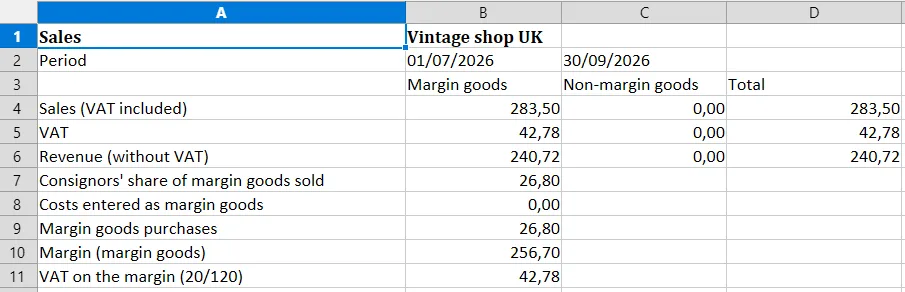
Time for your VAT return? No problem. You get an Excel file with one click. All right in your browser, nothing to install.
Free 30-day trial. No credit card needed.
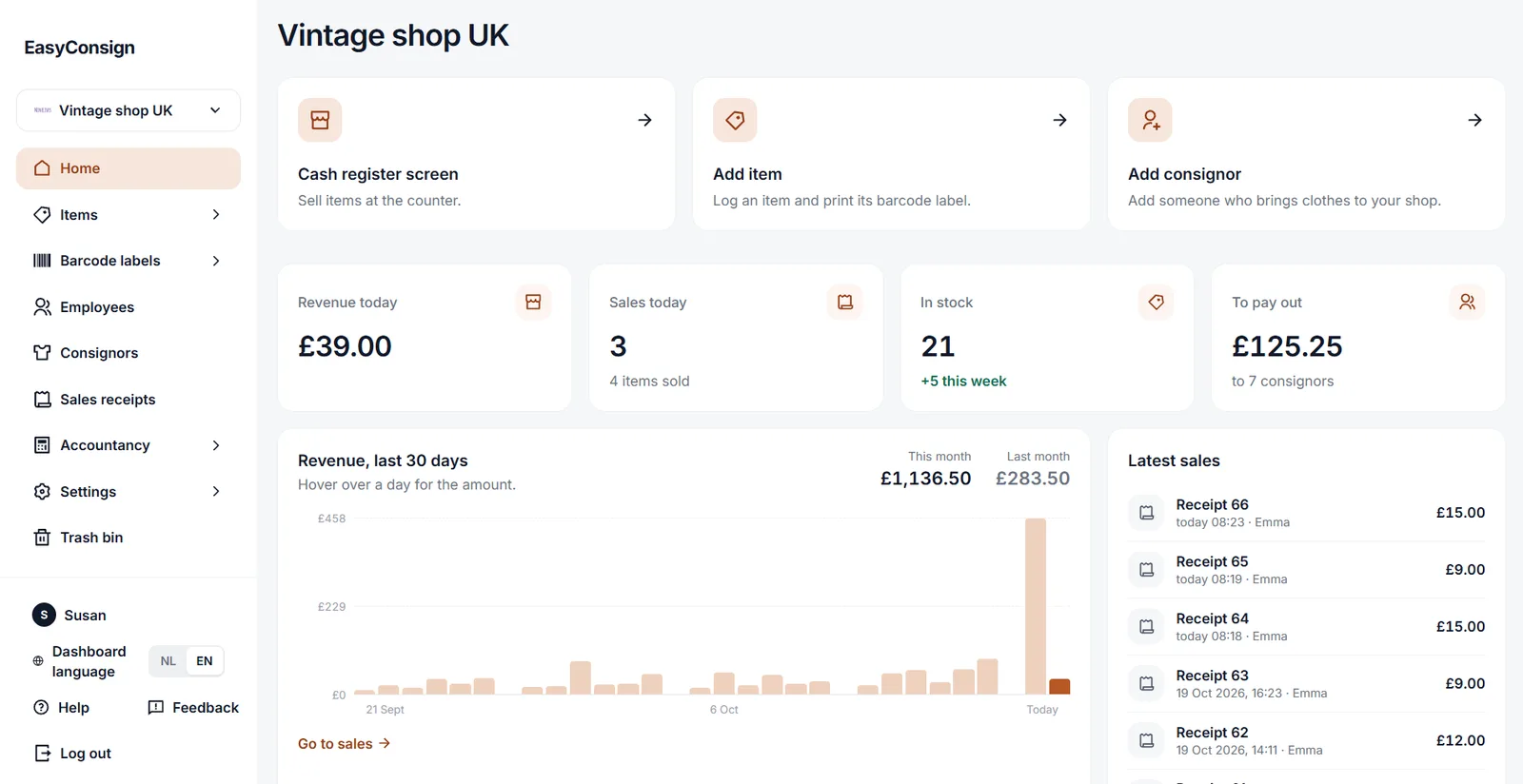
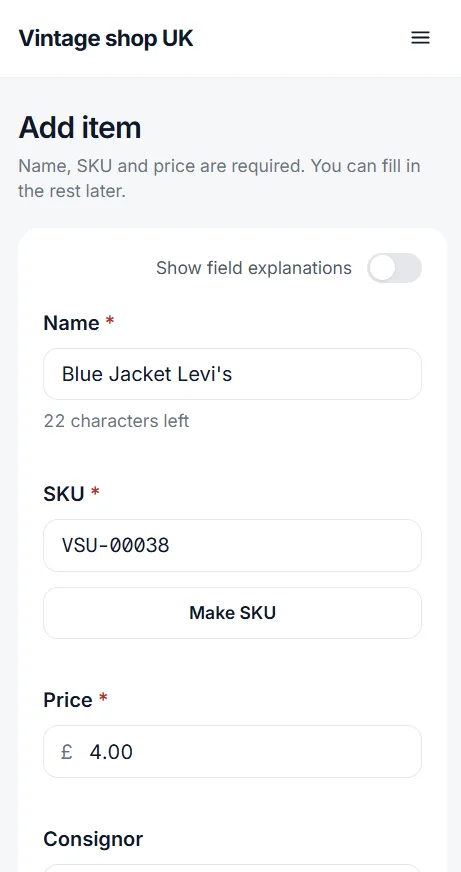
From first item to consignor payout
Add an item, print its barcode, scan it at the register, and see exactly what you owe. No consignors, just your own stock? No problem. Rather not use barcodes? You can do it all by hand as well.
1. Add items
Take a photo, set the price and link the item to its consignor.
2. Print the barcode
A barcode sticker comes out right away, with the price on it if you like. Ready to stick on the item.
3. Scan at the register
Scan the barcode, take payment your usual way, and the sale is logged.
4. See what you owe
Revenue and each consignor's earnings are always up to date.
Don't know where to begin? Take the course for beginners.
In short lessons you learn how a shop register works, from barcode to receipt printer, and how to use EasyConsign. With questions along the way, so you know you got it.
Features at a glance
Inventory, tickets, register, consignors and VAT in one place, simple from the start.
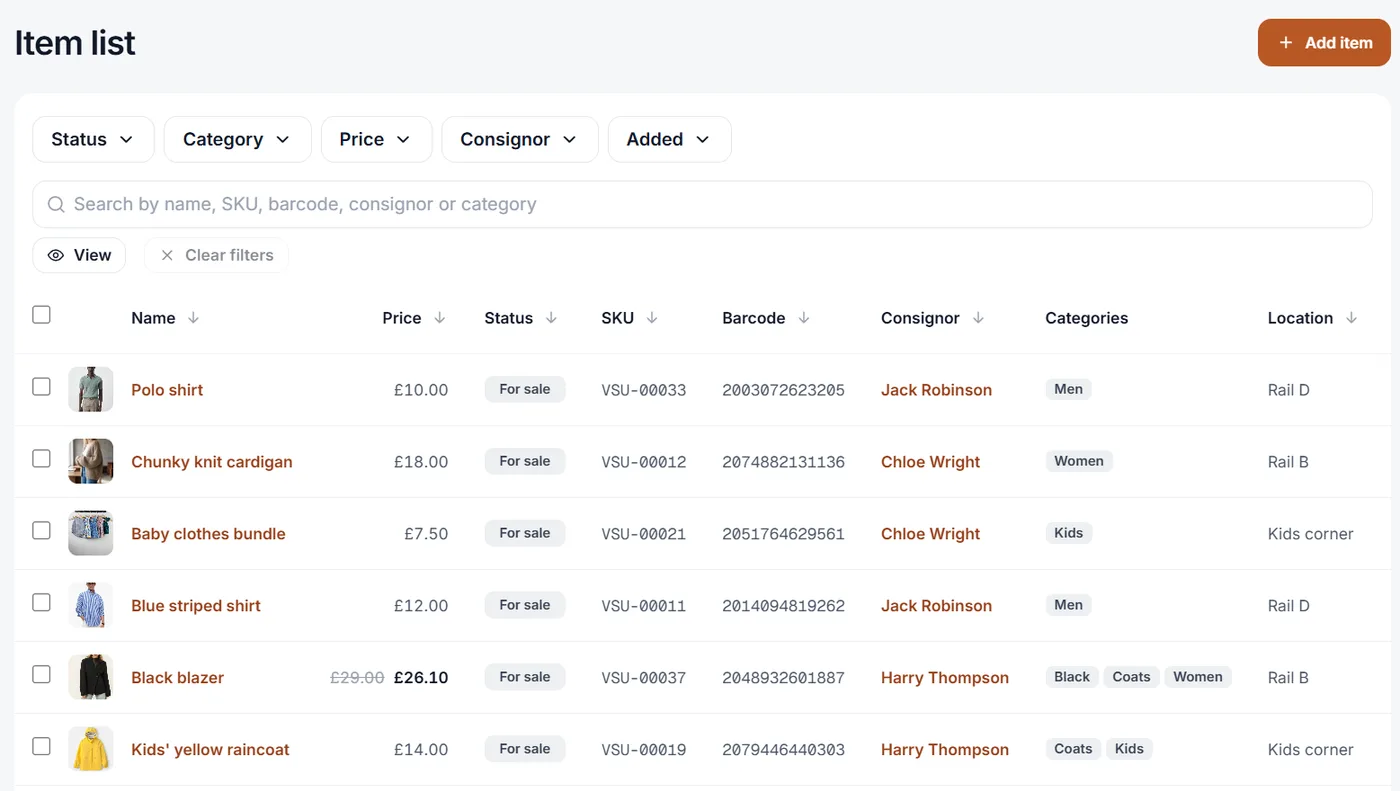
Keep every item and consignor in order
Know what's on the shop floor and who it belongs to, without a spreadsheet.
- Add items with a photo and a price in seconds
- Link every item to its consignor
- Staff can add items from their own phone while walking around the shop
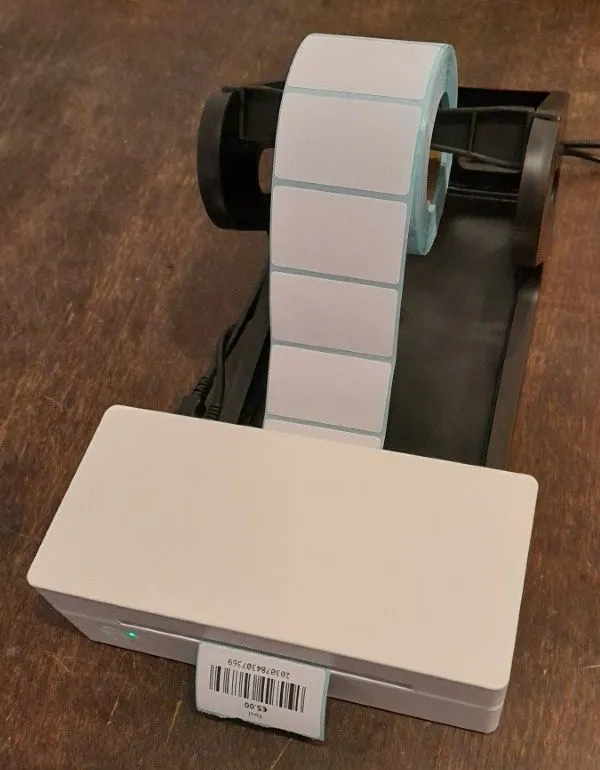
Price tickets on a label roll or sticker sheet
Every item gets a ticket with a barcode, so checkout is a single scan.
- Print on a label roll, or on A4 label sheets with your regular printer
- Print right after saving, or put items on a print list
- Scan with a wired scanner, a USB dongle scanner or Bluetooth
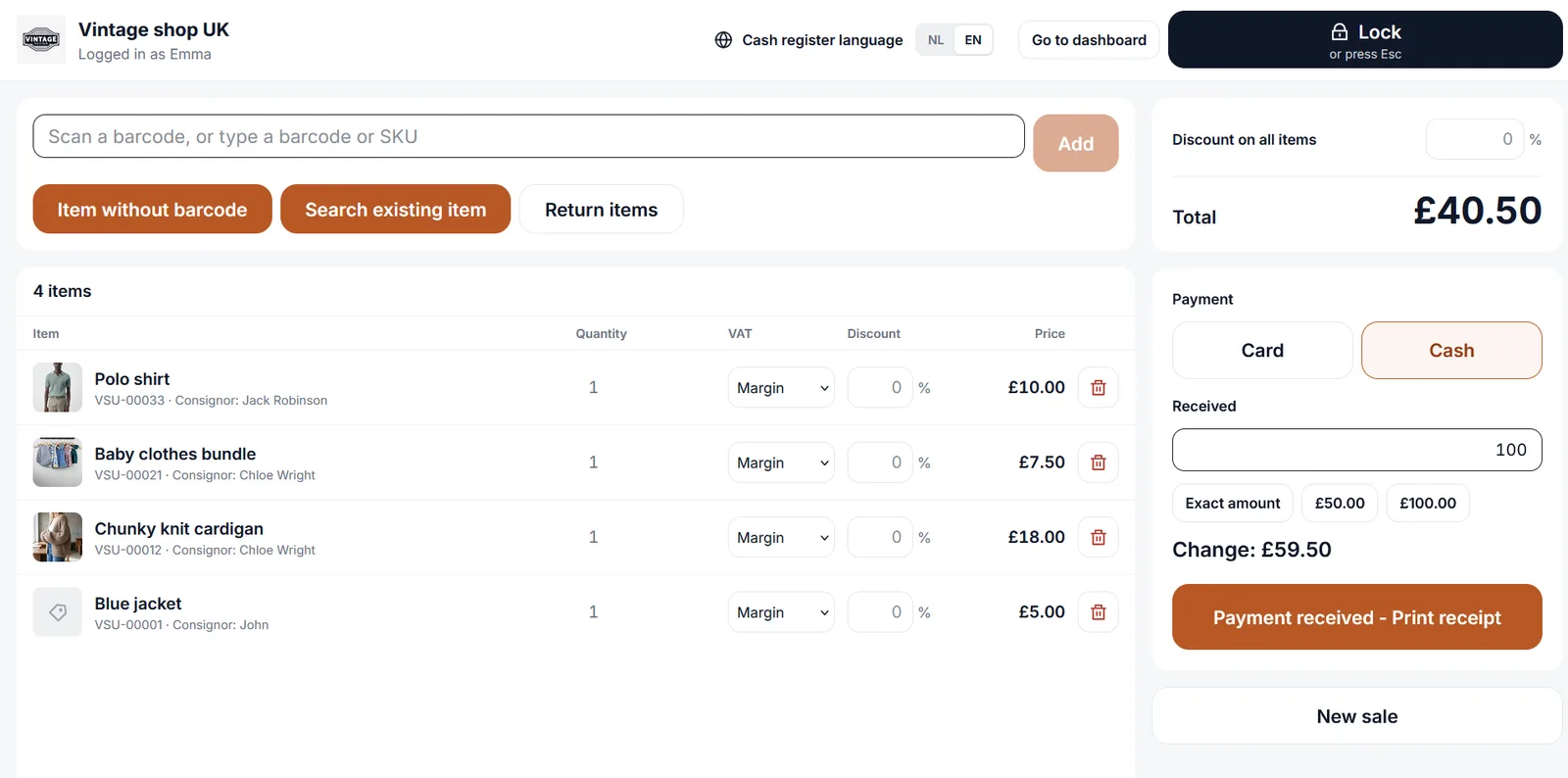
Check out with a receipt, returns included
Your computer is your register. Scan the items, choose cash or card and print the receipt on your receipt printer. If a customer brings something back, you make a return receipt.
- Runs in Firefox on your computer, no separate cash register needed
- For cash, the register works out the change
- When a customer returns something, the item goes back on sale or back to the consignor
- Payment stays with your own card terminal or cash drawer
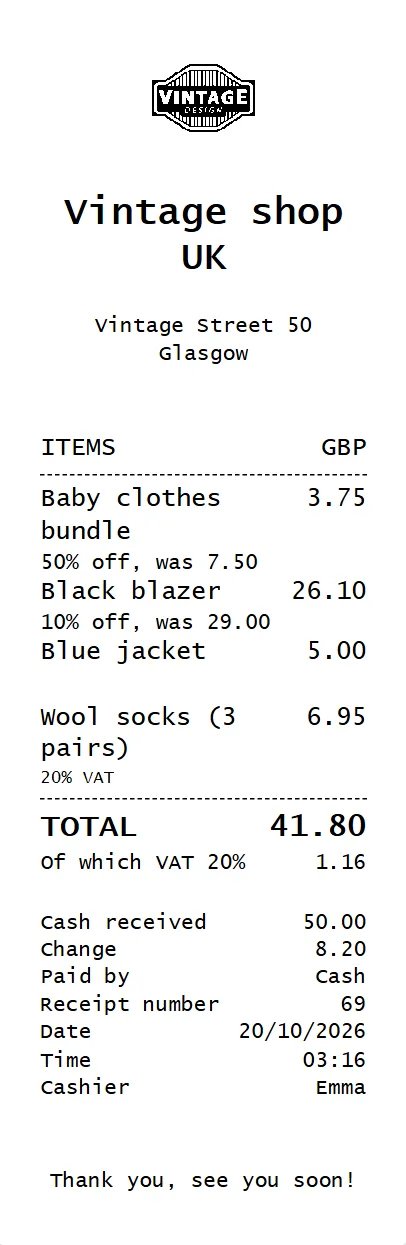
A real receipt from your own receipt printer
You don't need an expensive cash register. Your computer and an affordable receipt printer are enough. After checkout, the receipt prints by itself.
- Your logo and address at the top of the receipt
- The receipt prints right away, with no print dialog
- Works with 58 mm and 80 mm receipt printers
- When a customer returns something, you print a return receipt
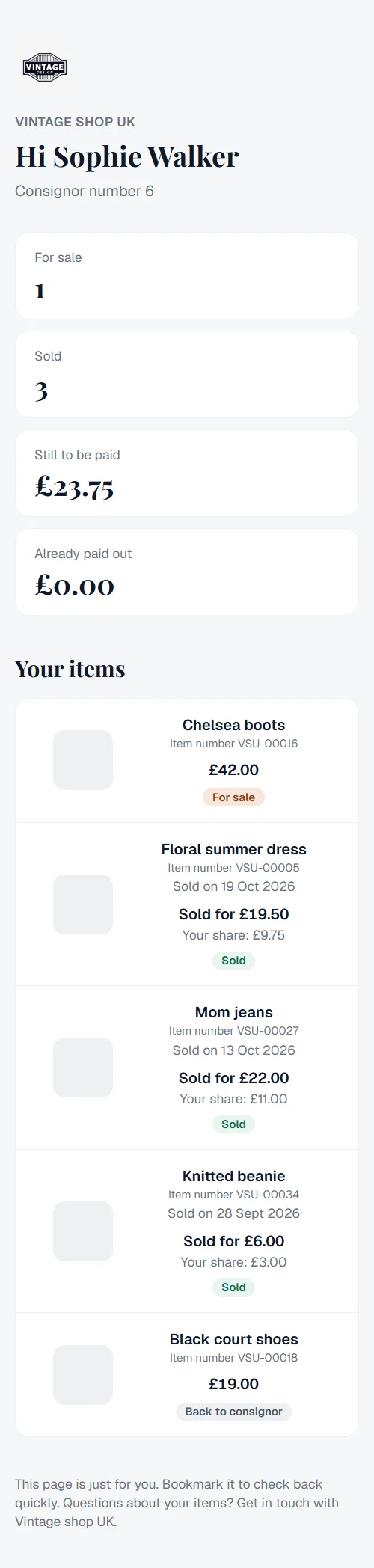
Your consignors check for themselves
Every consignor gets their own link. There they see their items, what has sold and what you still owe them. That saves you a lot of phone calls.
- Per item: for sale, sold or already paid out
- What you still owe them, always up to date
- No account or password needed, the link is enough
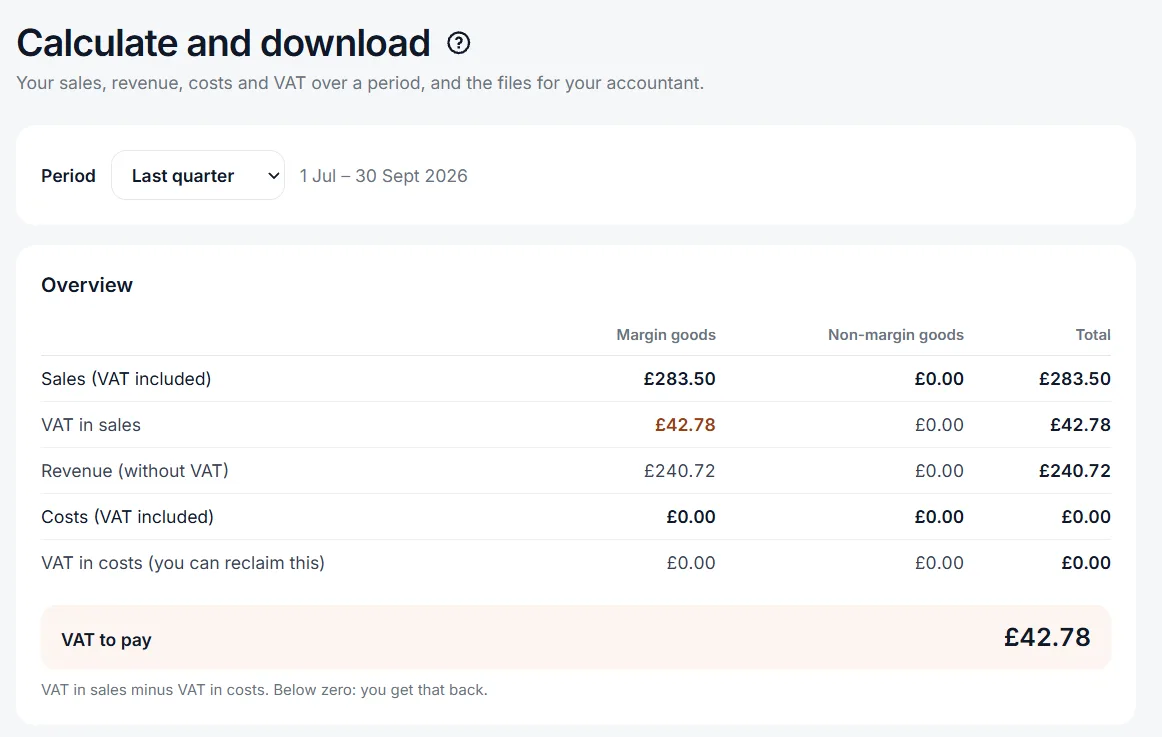
VAT and the margin scheme, with Excel for your own bookkeeping or accountant
If you sell secondhand goods, you often pay VAT on your margin instead of the selling price. EasyConsign works it out and gets everything ready for your VAT return.
- VAT on the margin and on regular items, worked out separately
- Choose a period and download your sales and costs as Excel or CSV
- Keep track of your costs, with a photo of the receipt
- For shops in The Netherlands and the United Kingdom
Explore more features
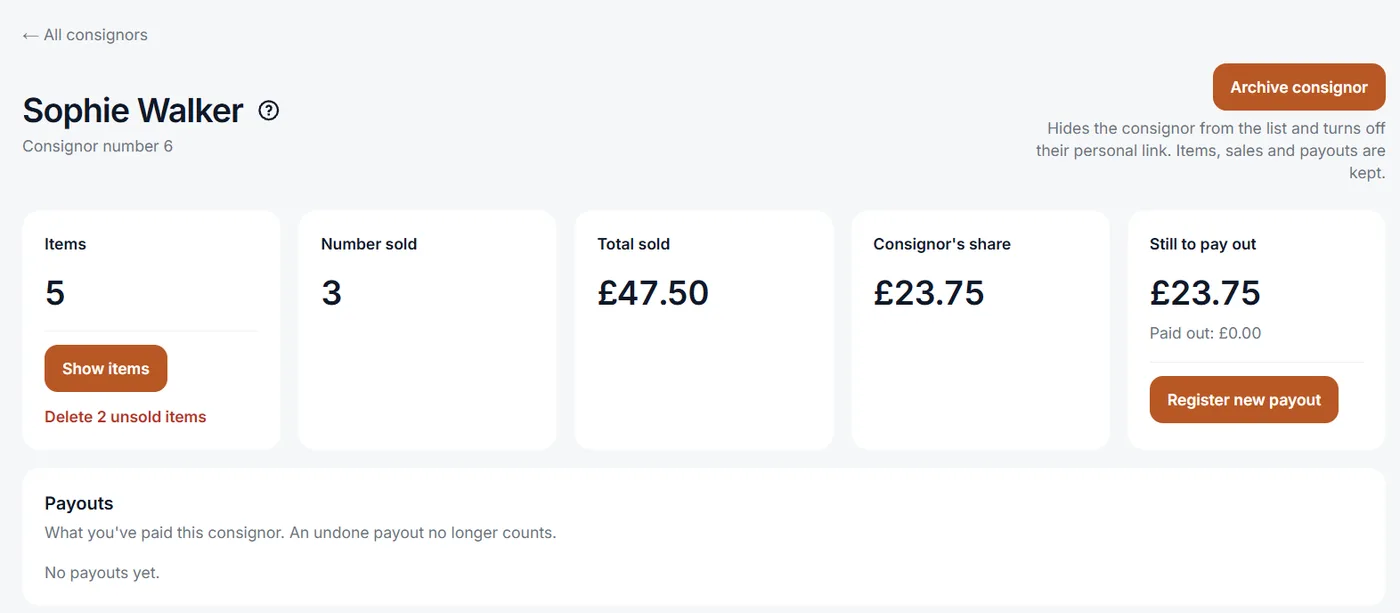
Paying out consignors
See what you owe each consignor and record whether you paid in cash or by bank transfer.
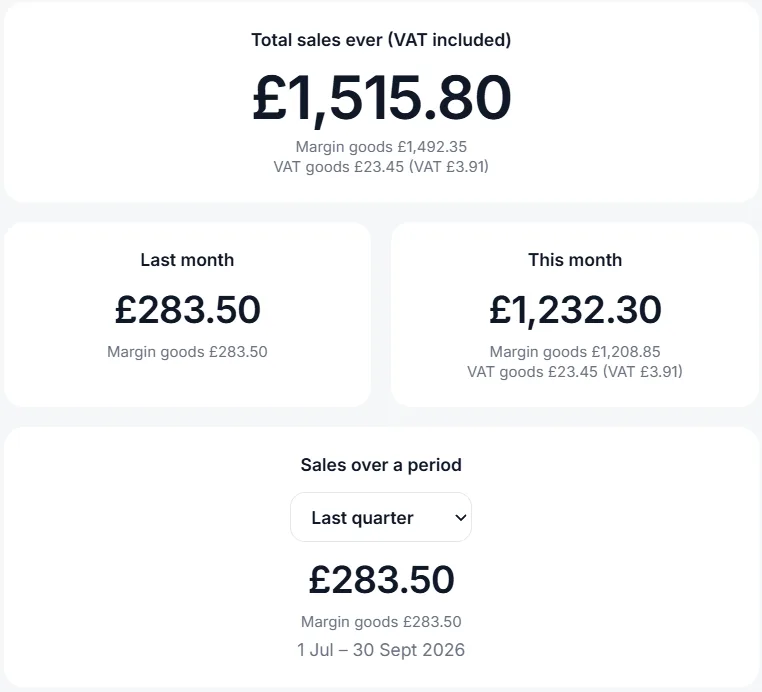
Your revenue per month
A chart of your sales and costs, with last month, this month and any period you choose.
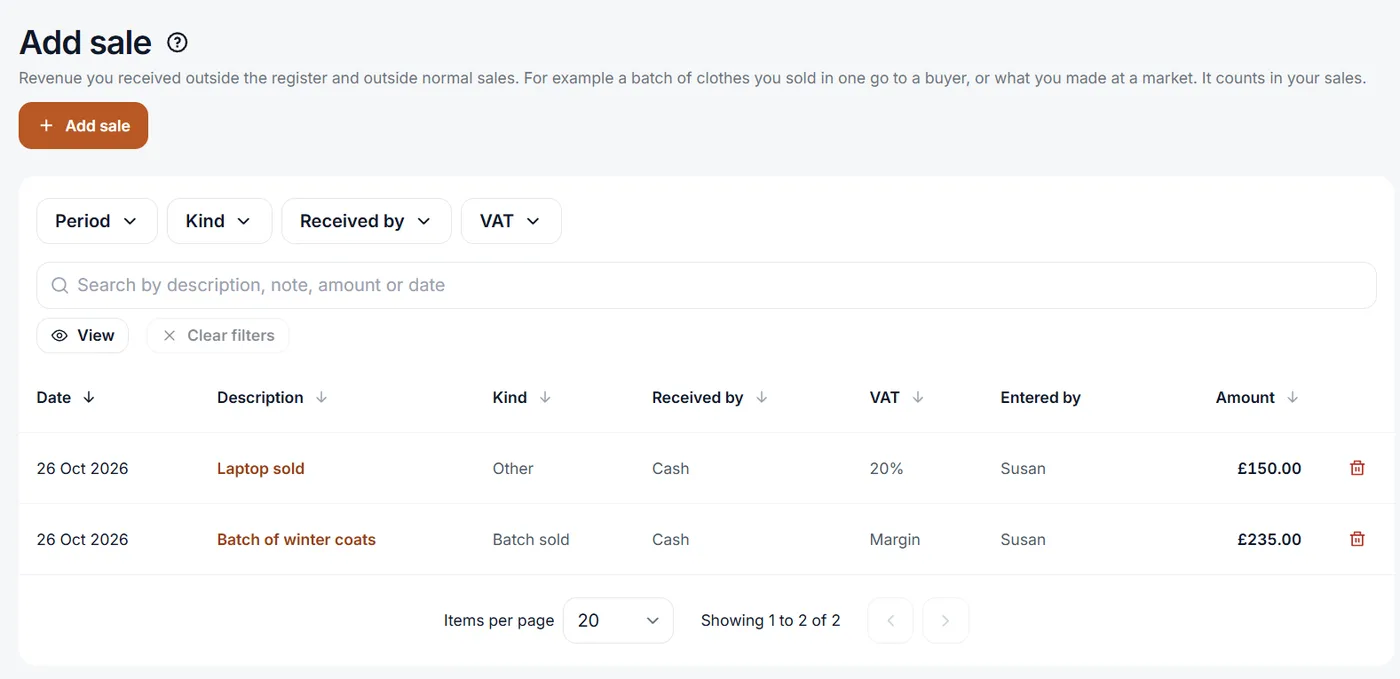
Sales outside the register
Sold a batch of clothes to a dealer, or made money at a market? Enter it and it counts toward your revenue and VAT.
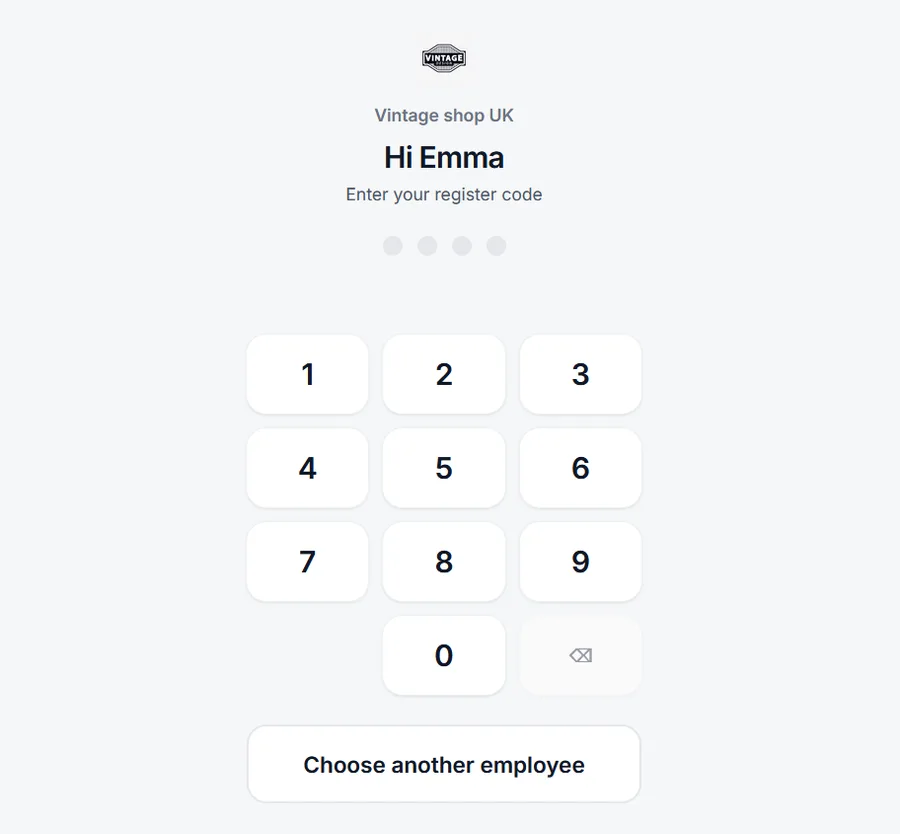
Staff with their own PIN
Every employee logs in with their own PIN and can only do what you check for them.
Multiple shops
Run more than one shop from the same account, with items and staff kept separate per shop.
Works on every device
Add items and check your figures in the browser on your computer, tablet or phone. The register itself runs in Firefox on your computer. Nothing to download.
Nothing lost if your computer breaks
Your items, sales and records aren't stored on your computer but online. If your computer or laptop breaks down, log in on another one and carry on.
Dutch and English
You and your staff each choose your own language. Receipts and emails to consignors use your shop's language.
Software for every secondhand shop
Clothes, furniture, books or vintage finds: if your shop sells other people's things, EasyConsign works for you.
- Clothing
- Furniture
- Books
- Vintage
- Toys and games
- Electronics
- Antiques
- Records and media
- Baby and kids
- Home and kitchen
- Sports gear
- Art and decor
Made with experience from a real secondhand shop
We helped set up a secondhand clothing shop in The Netherlands, from an empty space. We saw what happens when people are lined up at the register and everything still goes on paper. With 15 years of experience building web applications, we made the program that shop was missing.
Read our storyStart free, grow when you're ready
Plans are based on the number of shops and items in stock.
Starter
€19£19
per month
- 1 shop
- 2,000 items in stock
20% off when you pay yearly
Growth
€29£29
per month
- 3 shops
- 7,500 items in stock
20% off when you pay yearly
Pro
€79£79
per month
- 10 shops
- 25,000 items in stock
20% off when you pay yearly
Only items in stock count, sold items don't. Prices include 21% Dutch VAT.You pay in pounds, with no VAT added.
Frequently asked questions
More guides and answers in the help center
What do I need to get started?
A computer with Firefox as your register, and a receipt printer for the receipts. If you want to work with barcodes, you also need a barcode scanner, and a label printer or A4 label sheets for your regular printer. Adding items and checking your figures also works on a tablet or phone.
Does EasyConsign take customer payments?
No. Your customers pay the way they do today, and EasyConsign logs the sale and keeps track of what each consignor is owed.
Is there an app for Android or iPhone?
You don't need one. EasyConsign works in the browser of any phone, tablet or computer, so there's nothing to download.
Do I need a credit card to try it?
No. The free trial lasts 30 days and needs no credit card.
Can I cancel anytime?
Yes. You cancel whenever you want and keep working until the end of the period you paid for.