Level 3, lesson 4 of 4 · 3 min
Paying out consignors
Checking the balance, registering a payout and fixing a mistake.
Every sale of a consignor's item makes that consignor's balance grow. At some point you pay it out.
Who gets what?
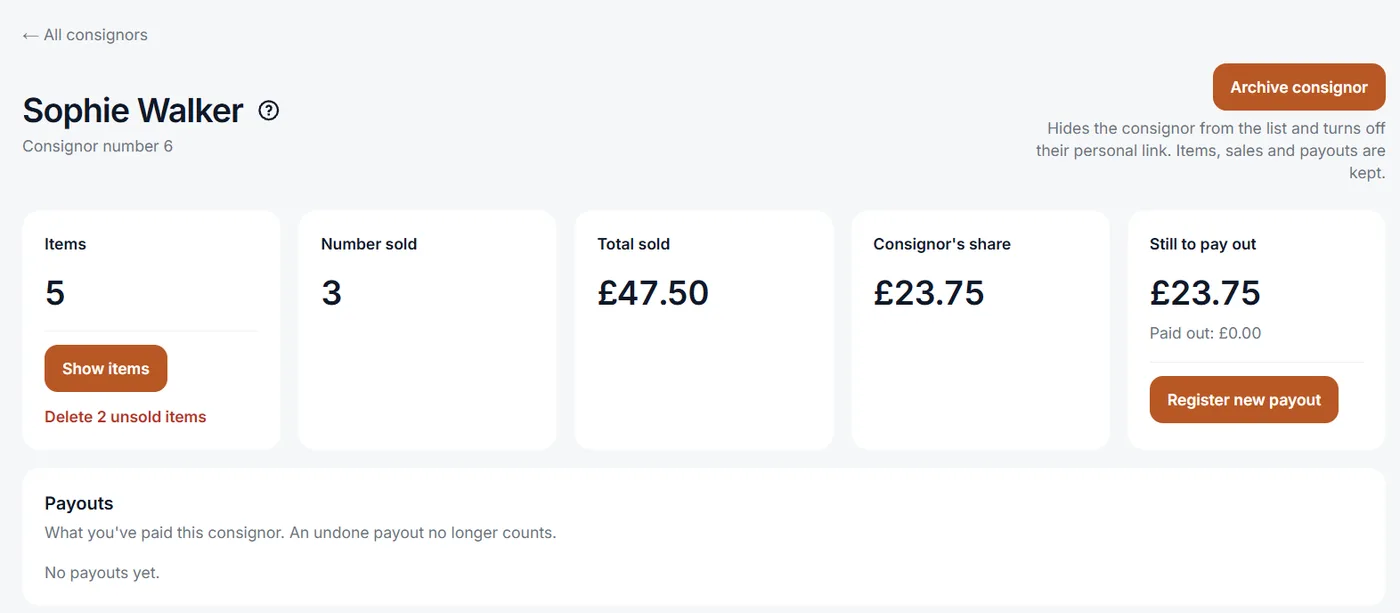
On your dashboard, To pay out shows how much you still have to pay out in total, and to whom the most. You see one consignor's balance under Consignors, when you open that consignor.
Paying out
EasyConsign doesn't transfer money itself. You pay out the way you agree: in cash in the shop, or by bank transfer. Then you write it down:
- Open the consignor under Consignors.
- Click Register new payout.
- Fill in the amount and save.
The amount comes off the balance. The consignor sees the payout through their own link too.
Fixing a mistake
Entered the wrong amount? Click Undo on the payout, then register the right amount. The wrong payout stays in the list, crossed out. That way you can still see later what happened.
Agreements
How often you pay out is up to you and your consignors. Many shops do it once a month, or when the consignor comes by. Also agree on what happens with things that haven't sold after a few months. Set those to Back to the consignor in EasyConsign, then they're no longer in your stock.
Want to know more?
The help center shows exactly which buttons to use.
Read the guide: Paying out consignors